The Follow Spot Mode: A Target That Only Moves on the Beat
Follow Spot is one fixture tracking a point that relocates every second beat and holds still in between. It is also the only mode in Stage Lights that is faded rather than cued.
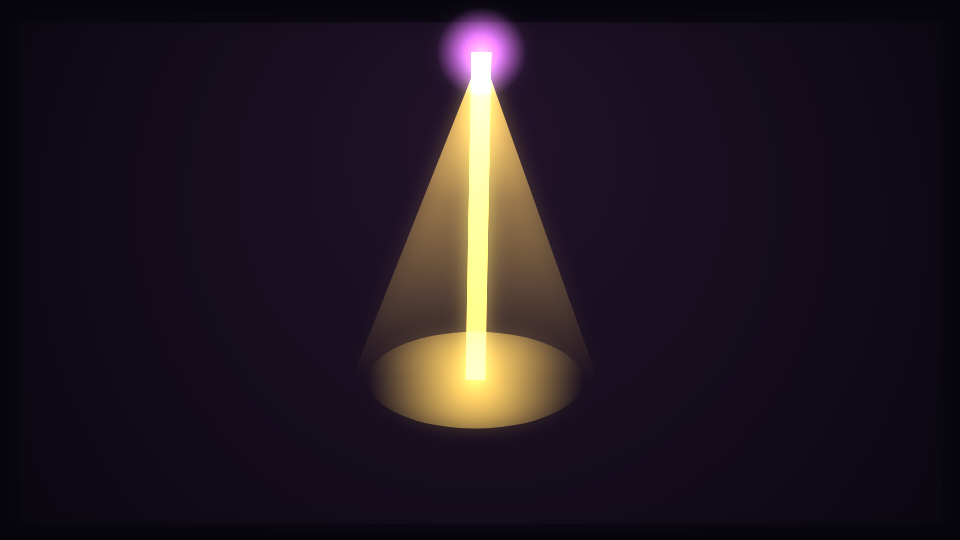
Follow Spot is the quietest mode in the Stage Lights engine: a single fixture tracking a target that only moves on the beat. One lamp, one pool of light, and a target that refuses to wander.
Quantised movement, not smooth movement
The target position is drawn from a deterministic value that only changes every second beat. Between changes it is exactly constant, so the spot holds perfectly still and then relocates, which is what makes the movement land with the music instead of drifting around the frame.
Both coordinates are bounded well inside the frame box, so the pool never reaches an edge whatever the track does. The beam is redrawn each frame from the rig position at the top of the frame to wherever the target currently is, so its angle and its length both change when the target does.
This is the mode that proves the beat detector
Because nothing else in the frame moves, a mistimed relocation is obvious here in a way it never is on a busy rig. If the spot feels like it is landing between hits, that is the analysis rather than the mode, and Beat response is the control to look at first.
Faded, not cued
The rest of this engine works like a lighting desk. Fixtures are struck by the beat latch, each carries its own decay envelope, and the beat count advances which group fires next, which is what produces a chase: light travelling across the truss rather than every lamp blinking in unison.
This mode does none of that. Its intensity is a single continuous expression combining a floor, the beat pulse and the audio energy. There is one fixture, so there is no group to advance and nothing to chase, and the catalogue is consistent about it: Fixtures, Fixture decay and Chase groups are all scoped away from this mode. They are not sliders that do nothing here; they are not offered.
What is in scope is Beam spread, which this mode multiplies heavily so the cone is wide enough to read as a follow spot rather than a laser. The mode ships it at 0.06.
Haze is the whole look
Haze is what makes a beam visible at all. Without atmosphere in the air there is no beam, only a lit patch on a floor. The engine draws a broad radial wash and then composites every beam additively on top of it, so overlapping light builds up the way real light does rather than painting over itself.
This mode ships the highest haze value in the engine at 0.45, which is the right default for a single-fixture scene: with only one beam there is nothing else to build the atmosphere. Almost every complaint that this engine looks cheap is a rig with no air in it.
Photosensitivity is a constraint here, not a disclaimer
An engine whose whole subject is flashing lights had to settle this before it drew anything. There is no full-frame flash in any mode in this engine, this one included. Beams, pools and bars are bounded shapes over a dark stage, and the brightest term any of them reaches is an opacity on a shape, never a fill of the entire canvas.
The trigger rate is capped as well. The beat latch has a lockout window that caps firing at five times a second however the track is analysed, so no tempo and no double-time hi-hat pattern can turn the rig into a strobe. Bounded and rate-limited is still not the same as safe for everyone: if you are publishing to an audience, say so in your description.
When to reach for it
A single vocal, an acoustic take, a ballad, a spoken-word piece, or any track where the arrangement is sparse enough that a busy rig would be lying about it. The moving pool gives the frame somewhere to look without competing with a lyric. The engine is rated easy for setup, and it looks right almost immediately.
Open Follow Spot or the editor. The Stage Lights Engine covers the five cued modes and the chase machinery this one switches off, and Keyboard and Accessibility on Novus covers what the reduced-motion setting does and does not change about an export.
Reviewed by the editorial team. Report a correction.
Keep reading
Was this page helpful?
Anonymous. Only this page’s address and your yes/no are recorded, and only if you allowed analytics cookies.
Ready to make your own?
Open the editor, drop in a track, and export a watermark-free video: free, no account.
Open the Editor