The Glyph Field Mode: A Column Is a Band
Glyph Field lays glyphs on a grid and binds every column to its own slice of the spectrum. A glyph changes character when its column crosses a threshold, not when the clock says so.
Glyph Field is the quietest of the typographic modes in the Character Motion engine. It does not spell anything and it does not fall. It fills the frame with characters on a grid and lets the spectrum play across them left to right.
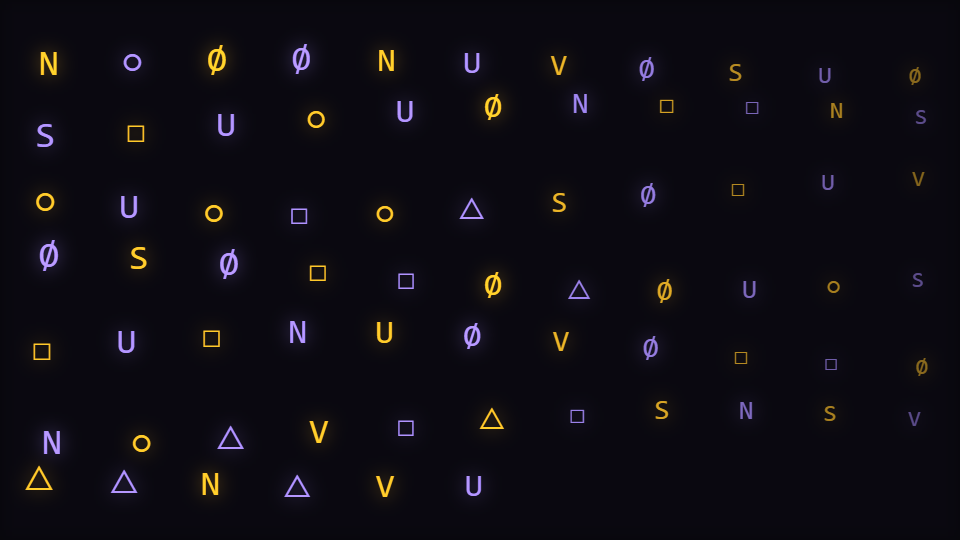
The grid is derived, not configured
There is no rows control and no columns control. The mode takes the Character count you set, takes the square root of 1.8 times it, floors that for the column count, and divides to get the rows. The 1.8 is what gives the grid a landscape bias rather than a square one. This mode ships a count of 72, and the draw path caps the field at 300 glyphs however high the control goes.
A column is a band
Every glyph reads the band belonging to its COLUMN, not to its own index. So a column is a vertical stripe of the spectrum: the left edge is bass, the right edge is air, and everything between is laid out on the same logarithmic element curve the rest of the catalogue uses, which puts the midpoint of the field at roughly a seventh of the way up the raw bin array rather than halfway. That curve is why the middle of the field carries recognisable music instead of hiss.
The band drives three things per glyph: its size, its opacity, and whether it is about to change character. All three read the same number, which is why a loud column does not just brighten, it visibly thickens.
The swap latch
Each glyph keeps a smoothed copy of its column's level, following the live value at a rate tied to the frame time. When that smoothed level crosses 0.42 upward, and only then, the glyph advances through the character set by between one and three positions, chosen by a hash that is re-drawn once per beat.
This is a rising-edge latch, and it matters. The obvious implementation is to index the character set by the beat count, and that is what this mode used to do: every glyph in the field swapped on the same frame, which is a clock rather than a visualization. Latching per glyph on its own column means the field types unevenly, because the columns cross their thresholds at different moments.
Bring your own alphabet
The Glyph set control is scoped to this mode and one other in the engine. Whatever string you put in it IS the character set, so a set of four characters gives you a field with four states and a set of forty gives you one that never visibly repeats. Short sets read as a pattern; long sets read as data.
Motion, and why it stays in frame
Glyphs drift vertically around their grid position on a sine of their own index, and wobble horizontally by a much smaller amount. The Path deformation control scales both. The vertical drift is soft-limited against half the frame box height, measured from the box centre, which is why Frame margin is in scope for this mode: turning the margin up genuinely pulls the field inward. The engine's cascading mode deliberately does the opposite and wraps off one edge, which is why the margin is scoped away from it.
One shipped default you cannot reach
This mode ships a value for Audio contribution. The three audio-routing controls are scoped to the engine's other modes, not to this one, so none of them appears in this mode's panel, and the branch that draws the grid never reads the routed level. Its audio comes entirely from the per-column band and the beat pulse.
When to reach for it
Electronic, industrial, anything with a terminal or data aesthetic, and any video where you want typography present without it saying words. It is a background, not a title card. If you want the characters to spell something, the engine's word mode is the one to open; The ASCII Cascade Mode covers the falling variant of this same grid.
Open Glyph Field in the gallery or start in the editor.
Reviewed by the editorial team. Report a correction.
Keep reading
Was this page helpful?
Anonymous. Only this page’s address and your yes/no are recorded, and only if you allowed analytics cookies.
Ready to make your own?
Open the editor, drop in a track, and export a watermark-free video: free, no account.
Open the Editor