The ASCII Cascade Mode: Every Glyph Swaps on Its Own Band
ASCII Cascade is a spectrum read left to right, one column per band, where a glyph changes only when its own column crosses a threshold. Here is why that is a visualisation and a shared counter is not.
ASCII Cascade is the falling-glyph mode in the Character Motion engine: layered ASCII streams cascade at a measured pace. It shares its grid with the engine's default glyph mode and differs in two specific ways, both worth understanding before you touch a control.
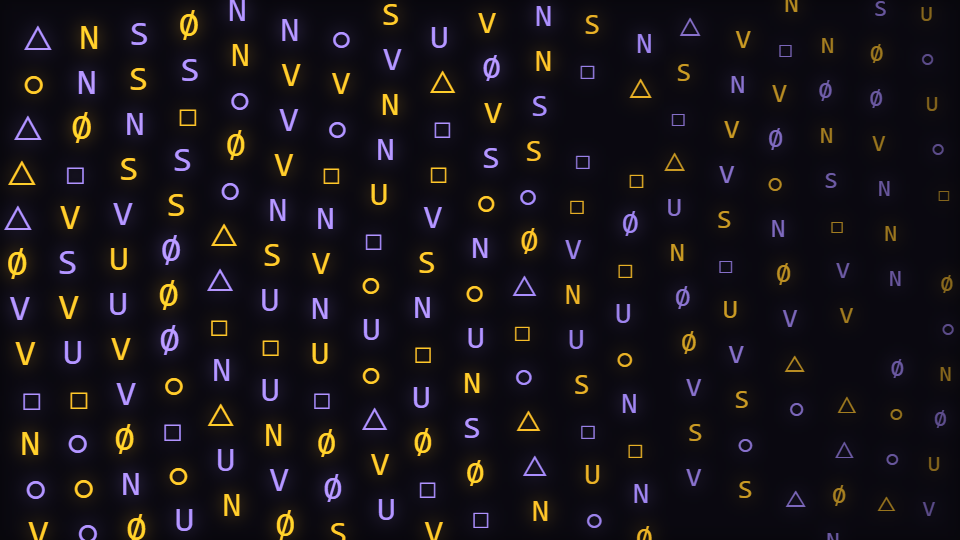
The field is a spectrum, read left to right
Glyphs are laid out on a grid whose column count is derived from the character count, and every glyph in a column reads the same band. That band is chosen on a curved mapping rather than a linear one, because a linear frequency axis gives every octave above about a kilohertz more than half the bins, which crams everything a listener hears as the music into the first few columns and fills the rest with hiss.
Three properties come from that per-column level at once: opacity, glyph size, and how fast the column falls. Loud columns rain faster, brighter and bigger. That is the whole reactivity design, and it means the mode reads as a spectrum even though nothing in it is shaped like a bar.
A glyph swaps on a threshold, not on a counter
Each glyph keeps a smoothed copy of its column's level and its own current character index. When that smoothed level crosses a fixed threshold upward, and only then, the glyph advances to a new character by a small beat-quantised step. Between crossings it holds whatever it is showing.
The version this replaced indexed the glyph set by the glyph index plus the beat count, which meant every glyph in the field swapped on the same frame. That is a clock, not a visualisation: the field changed in lockstep with the tempo and carried no information about the audio at all. Per-glyph latching is what makes the field type unevenly, the way a spectrum actually moves.
This mode wraps rather than contains
An endless cascade is supposed to leave one edge and re-enter the other, so the vertical position is wrapped into the frame rather than soft-limited inside the safe area. The engine's default glyph mode does the opposite: it drifts and is limited into the box. Same code path, two different honest answers to leaving the frame.
The controls, and the ones that are not here
- Glyph set is the character pool, scoped to this mode and the default glyph mode. Anything you type becomes the alphabet: digits, box-drawing characters, katakana, a single repeated symbol.
- Character count is the population, and the column and row counts are both derived from it. This mode ships 220, the densest in the engine.
- Speed drives the fall, scaled per column by that column's level. The mode ships it at 0.12, deliberately slow, because a cascade that outruns the eye stops being readable as text.
- Path deformation applies to this mode, but only through the horizontal wobble: the vertical drift term it also feeds belongs to the other grid mode.
The interesting absence is the primary audio route. Primary audio source, Audio contribution and Audio dynamics are scoped away from this mode in the catalogue, because nothing in this branch reads them: every glyph is bound to its own column instead. A control that moves and changes nothing is indistinguishable from a broken one, so it is not offered here.
When to reach for it
Anything with a digital or technical identity. Glitch, IDM, drum and bass, hacker and terminal aesthetics, developer and product content. It is also one of the few scenes in the catalogue that works as a full-frame background behind a centred logo, because the grid is even and the centre is no busier than the edges.
Open ASCII Cascade or the editor. If you want your own words rather than a symbol pool, The Word Wave Mode: Kinetic Type Needs an Overshoot is the mode next door.
Reviewed by the editorial team. Report a correction.
Keep reading
Was this page helpful?
Anonymous. Only this page’s address and your yes/no are recorded, and only if you allowed analytics cookies.
Ready to make your own?
Open the editor, drop in a track, and export a watermark-free video: free, no account.
Open the Editor