The Mirrored Area Mode: A Reflection Has to Be Rebuilt
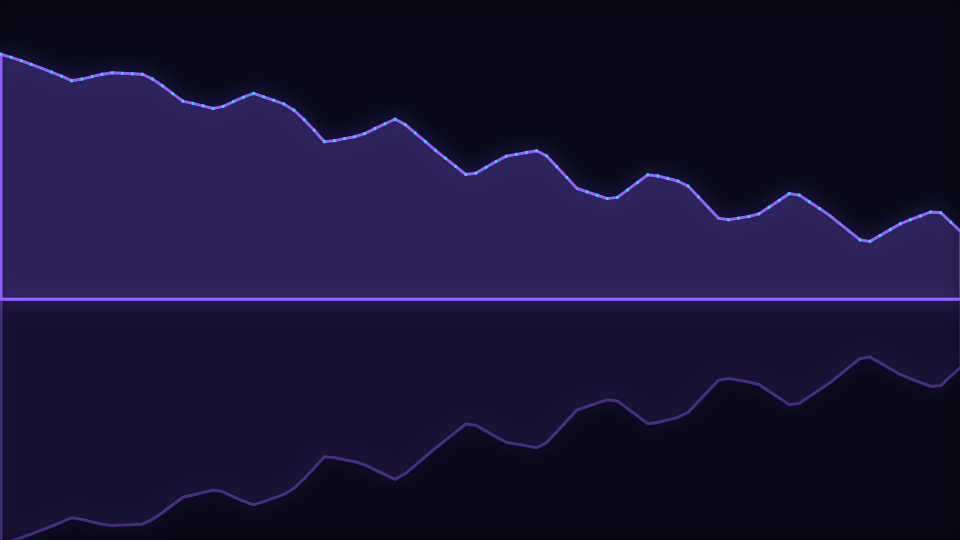
Mirrored Area reflects a solid spectrum shape across its baseline. Doing that on a canvas is not a transform and a second stroke, and the mode is named after the bug that taught us so.
Mirrored Area is the Spectrum engine mode where filled frequency areas mirror across the baseline. It is a simple idea with a specific trap underneath it, and the trap is worth knowing about whether or not you ever open this mode.
A canvas path remembers where it was built
When you add a point to a path, the canvas converts it into device space at that moment and stores the result. Changing the transform afterwards and calling stroke again therefore redraws the path in exactly the same place. Only the line width and the dash pattern see the new matrix.
Three modes in this catalogue shipped a reflection written the other way: translate, flip the vertical scale, stroke again. All three drew a second copy directly on top of the first, so the only visible effect was a slight change in opacity. The mode named after mirroring was not mirroring.
Re-emitting is the only fix
There is no transform that moves an already-built path. The points have to be walked again with the new vertical mapping applied. The engine keeps the row's vertices in a flat reusable buffer so that second pass costs a walk rather than an allocation per vertex.
What this mode draws
One row of live spectrum, not history. The curve is stroked, and because this is one of the two filled modes in the engine it is also closed back along the baseline and filled. The close uses the actual horizontal span of the data rather than the frame width, which avoids a stray vertical line down the right edge when the two do not coincide.
Then the reflection: the same vertices, rebuilt with each vertical position mirrored about the baseline, stroked and filled at a reduced opacity that rises slightly with the beat. Because it is mirrored about the trace's own baseline rather than the bottom of the frame, moving the anchor moves both halves together instead of throwing the copy off screen.
The anchor is doing more work than usual
A reflection needs room on both sides, which is why this mode ships Vertical anchor set to center while most of the engine sits at the bottom of the frame. Move it back to the bottom and the reflected half has nowhere to go. That is the one setting that changes this mode from a composition into a clipped one.
There is also a Mirror reflection switch on the engine. It turns the same reflection on for the other modes, and on this one it is redundant: the mode enables the reflection by identity as well, so the switch cannot turn it off here. If you want an unmirrored filled area, the engine's ridge mode is the one to take.
The controls that shape it
- Bins sets the horizontal resolution of the curve. Low values give you a chunky, poster-like shape; high values give you a fine trace where individual partials are visible.
- Smoothing damps movement between neighbouring bins, which is the difference between a curve and a comb.
- Thickness is the outline weight, and it is multiplied by the beat pulse, so the edge of the shape thickens on hits while the fill stays constant.
- Colour mode switches between the duo palette and a horizontal gradient across the frame, and on this mode the gradient reads particularly well because the shape is continuous.
- Peak hold still applies: the markers sit above the upper half only.
When to reach for it
Single and album loops, audiograms, and anything that wants a graphic, poster-like readout rather than a technical one. It is a horizontally symmetric composition, which makes it one of the safer scenes to place a centred title over, and it crops to a square better than most spectrum layouts.
Open Mirrored Area or the editor. For the same engine reading time rather than the current frame, read The Spectrogram Waterfall Mode: Speed Is a Stride, Not a Push Rate, and for the drawing model underneath all of it, How Canvas Paints an Audio Visualizer.
Reviewed by the editorial team. Report a correction.
Keep reading
Was this page helpful?
Anonymous. Only this page’s address and your yes/no are recorded, and only if you allowed analytics cookies.
Ready to make your own?
Open the editor, drop in a track, and export a watermark-free video: free, no account.
Open the Editor