The Waveform Tube Mode: The Corridor That Reads Live
Every ring in the Tunnel engine freezes a snapshot of the spectrum at birth and carries it forward. Waveform Tube is the exception: its surface is the time-domain trace, right now.
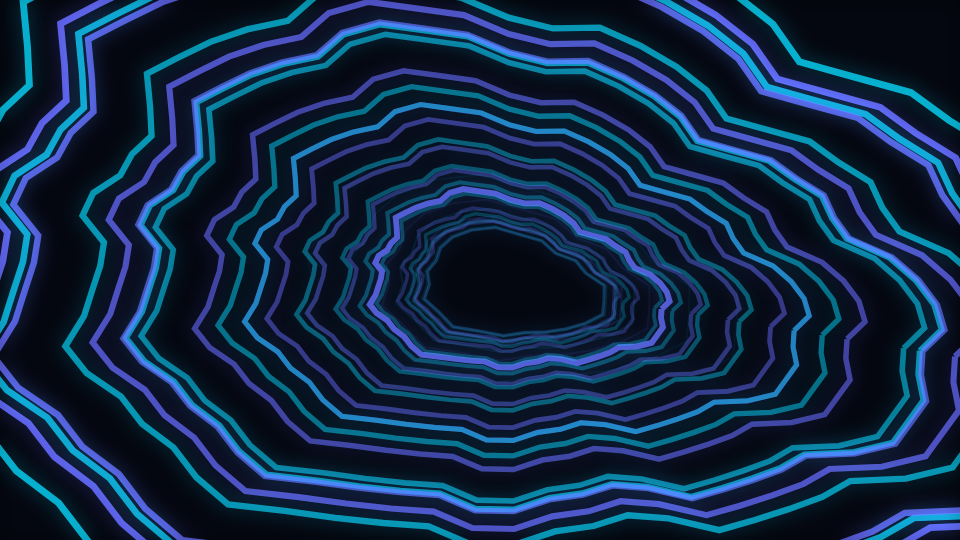
Waveform Tube is described in the catalogue as time-domain samples travel along the tunnel cross-section. Understanding it means understanding what the other five modes in the Tunnel engine do differently, because this one deliberately opts out of it.
What the other modes do: a snapshot per ring
The reason a tunnel used to read as a few rings pulsing in unison was never the perspective maths. It was that every ring re-sampled the same live spectrum on every frame. The geometry moved through depth while the content did not, so there was nothing to see travelling, and depth was invisible however the projection was tuned.
The fix was to give a ring an identity. Each slot's position in the corridor is its index plus the travel value, and when that crosses an integer the slot has wrapped to the far end and is, in every sense that matters, a new ring. At that moment it freezes a fixed-resolution snapshot of the spectrum and renders that snapshot for the rest of its trip. The corridor becomes a scrolling record of the last few seconds.
What this mode does instead
It reads the live time-domain buffer. Its per-ring loudness is taken from the waveform at a position derived from the ring's index, and the bump applied around each ring's circumference is sampled from the current waveform as well. The snapshot machinery still runs underneath, and this mode simply does not use it.
The visible consequence is worth choosing between. A spectrum-carrying corridor shows you history: near rings are now, far rings are a second or two ago, and a drop arrives as a change that walks toward you. This one shows you the present everywhere at once, so the whole corridor ripples together with the waveform, which is a much more immediate and much less structural look.
Pick by what you want the viewer to read
If the point is that the viewer can see the track's structure, take the spectrum-carrying mode in the same engine. If the point is that the tunnel is breathing with the sound right now, this is the one.
Level of detail, and why the far rings look plain
A ring near the vanishing point is a few pixels across, and stroking a sixty-four vertex path to fill it is wasted work. The cross section is therefore drawn at a reduced vertex count once a ring is past a depth threshold, and rings that are fog-faded below a visibility floor or smaller than a couple of pixels are skipped entirely.
That is why the ripple appears to develop as a ring approaches: it is not growing, it is gaining vertices. On a static still it can read as a defect. In motion it is invisible, which is the point of a level-of-detail scheme.
Depth sets the rush, not the size
The corridor's scale constant is solved from a target near-plane size rather than hard-coded, so the nearest ring always fills slightly more than the frame whatever Depth is set to. Before that the two were tangled: the near-plane size fell out of whatever depth happened to be, and at the default the closest ring sat at around a third of the canvas width, so the corridor read as a small motif in the middle of the screen rather than something being flown through.
Now Depth controls how fast rings rush past. Field of view widens or narrows the whole corridor, Fog sets how quickly distance fades, Twist rotates rings progressively with depth, and Surface deformation scales the ripple. This mode ships surface deformation at 0.48 and a speed of 0.24.
When to reach for it
Bass music, dub, drone, anything with a strong low-frequency waveform, and live-set uploads where the immediacy matters more than the structure. It also works as a long-form background because the corridor never resolves into a repeating shape.
Open Waveform Tube or the editor. For the mode in the same engine built on streaks instead of rings, read The Warp Field Mode: A Streak Carries the Beat It Was Born On; for the trace itself, The Oscilloscope/Lissajous Mode: A Real Second Channel.
Reviewed by the editorial team. Report a correction.
Keep reading
Was this page helpful?
Anonymous. Only this page’s address and your yes/no are recorded, and only if you allowed analytics cookies.
Ready to make your own?
Open the editor, drop in a track, and export a watermark-free video: free, no account.
Open the Editor