The Laser Sweep Mode: A Stroke, Not a Cone
Laser Sweep is the only mode in its engine that draws strokes instead of cones, which is exactly why Thickness is scoped to it alone and Beam spread is scoped away from it.
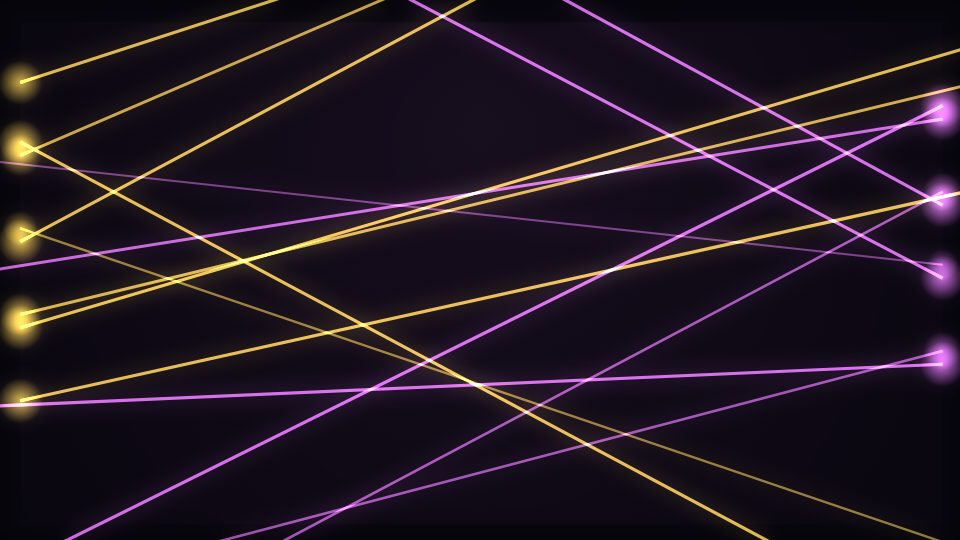
The Stage Lights engine visualises the ROOM rather than the signal: fixtures have positions on a truss, beams have a source and a throw, and haze is what makes a beam visible at all. Laser Sweep is its sharpest mode: side rigs fire thin lasers that sweep across the frame.
Two controls that prove each other
The engine has a helper that draws a cone of light: a gradient wedge from the lens out to the tip, with a hot core stroked down the middle. Three of the engine's modes call it. This one does not, because a laser is not a cone. It strokes a single line.
That one fact explains two entries in the control table at once. Thickness is scoped to this mode ALONE in the engine, because it is the only branch that strokes anything and therefore the only one where a line width means something. And Beam spread is scoped AWAY from this mode and present on the three cone modes, because a stroke has no spread angle to widen. Read the two together and the scoping table stops looking like a list of exceptions and starts looking like a description of the code.
Where the rigs are
Fixtures alternate sides by index parity: even ones sit on the left edge of the frame box, odd ones on the right. Their vertical positions come from a deterministic ladder rather than from a random scatter, spread over the middle two thirds of the frame, so the rig looks installed rather than thrown. Fixtures ships at 16, bounded between 1 and 64.
Each laser points across the stage and swings by up to about half a radian either side of horizontal, on a sine of the engine's shared sweep value plus a per-fixture phase. That phase is re-drawn every two beats, which is what stops sixteen lasers from ever settling into a single synchronised fan. The throw is 1.25 times the frame diagonal, so a laser always leaves the frame rather than stopping inside it.
Why it is the most beat-native engine here
A lighting desk is cued, not faded. Fixtures are STRUCK by the beat, in rotating groups set by Chase groups, and then decay on their own envelope at a rate set by Fixture decay. That is what makes the rig chase across the truss instead of every lamp blinking in unison. This mode ships 3 chase groups.
A fixture's brightness is not only its envelope, though. It is the envelope, plus that fixture's own slice of the spectrum, plus the routed overall level, plus the onset burst. So the rig responds to a cue and to the music underneath it at the same time, which is what a real desk looks like when an operator is busking a set.
Haze, and additive light
The whole engine composites additively, so crossing beams build up the way real light does instead of painting over each other. Haze ships at 0.28 and paints a soft radial wash the beams are drawn ON, lifted slightly by the beat. Turn it to zero and the lasers still draw, but they read as lines on black rather than as light in a room.
On flashing, deliberately
No mode in this engine flashes the whole frame, including the strobing one. Beams, pools and bars are bounded shapes over a dark stage, and the brightest term any of them reaches is an alpha rather than a fill of the entire canvas. Fixture triggers are also gated by the beat latch, whose 200 millisecond lockout caps the trigger rate at five per second however the track is analysed. If you need more than that, the reduced-motion setting and Keyboard and Accessibility on Novus cover what else is available.
When to reach for it
Club and festival content, live clips, hard techno, EDM, and anything that wants the feel of a room rather than a readout. It is also one of the few scenes that improves at very high contrast, because a laser is meant to be the brightest thing in frame. For a rig with no beams at all, read The Par Wall Mode: A Rig With No Beams At All; for the engine as a whole, The Stage Lights Engine.
Open Laser Sweep in the gallery or go to the editor.
Reviewed by the editorial team. Report a correction.
Keep reading
Was this page helpful?
Anonymous. Only this page’s address and your yes/no are recorded, and only if you allowed analytics cookies.
Ready to make your own?
Open the editor, drop in a track, and export a watermark-free video: free, no account.
Open the Editor