The Starfield Mode: Why Depth Has to Reach the Sprite
Starfield is the one Particles mode with a real depth axis. Here is how the projection works, why the sprite has to shrink with it, and which controls only exist in this mode.
The catalogue line for Starfield is short: Deep parallax stars crossing the frame in twelve seconds. Everything interesting about it comes from one decision, which is that it is the only mode in the Particles engine with a depth axis the renderer actually projects.
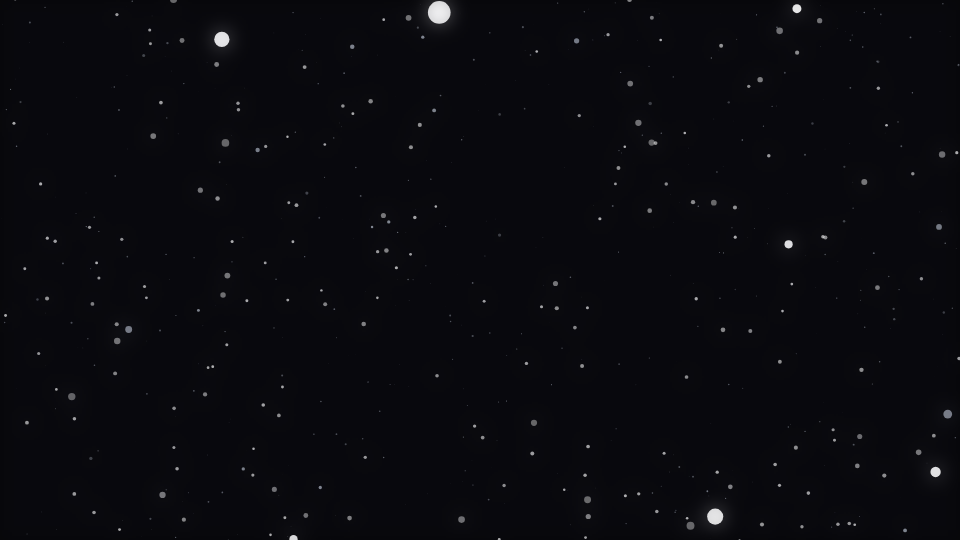
One seeded field, six different readings of it
Particles seeds a pool of points once, each with its own position, depth, phase and size. An emitter does not reseed that pool; it reshapes where each point lives while keeping the point's identity. That is why changing the Emitter control moves the field rather than replacing it, and it is also why every mode in this engine is reading the same population in a different way.
Starfield takes each point's depth, advances it with the motion clock, wraps it back into the range, and then projects the point outward from the centre of the frame by the reciprocal of that depth. A point at the back of the volume barely moves. A point that has come close races off the edge. That is the whole parallax effect, and it costs one division per particle.
The part that was missing, and why it mattered
The projection was correct long before the mode read correctly. Position had perspective; size did not. A star one tenth of the distance away was drawn at exactly the same radius as one at the back, so the depth cue the projection creates was thrown away on every frame.
The consequence was not subtle. Without a size gradient the mode rendered as a flat field of identical dots, which is indistinguishable from two of its neighbours in the same engine at gallery size. Scaling the sprite by the same reciprocal-depth term the position already uses is what makes it read as flying through stars, and the scale factor is bounded at both ends so a point that passes very close cannot become a disc that fills the frame.
Depth is the only motion here
There is no turbulence path and no gravity path in this branch. A star travels straight out from the centre and nothing curves it. If you want drift, that is a different mode in the same engine, not a setting on this one.
The controls that are specific to this mode
Direction Z is scoped to Starfield and to nothing else in the engine. It is added to the per-frame depth advance, so it is a fine trim on how fast the field comes at you rather than a separate speed control. Speed is the coarse one, and this mode ships it at 0.16.
- Particle count is where the look lives. The mode ships 1500, which is well above the engine default, because a sparse starfield reads as dust rather than as space.
- Particle size is a multiplier on top of the per-point seeded size and the depth scale, so it changes the whole gradient rather than flattening it.
- Turbulence and Drag are available on the engine but do nothing in this branch of the draw code. That is worth knowing before you spend ten minutes on a slider.
- Colour mode works: a star is painted with the per-element colour for its index, so duo, gradient and full-spectrum all read across the field.
What a particle count actually buys you
The number you set is a target, not a promise. It is scaled by the preview scale, by the canvas area relative to 1080p, and by a further reduction on machines reporting four or fewer cores, then capped. Export with capture quality on and all three of those scalers are switched off, so the exported frame is the count you asked for. The engine's published budget is 520 elements by default and 220 on mobile, with a hard ceiling of 4000.
There is a second reason the drawn count moves: the pool is deliberately larger than the steady-state draw so a burst has somewhere to spawn into, and the per-frame draw count swings within a bounded range around the target. The ceiling on that swing is low on purpose. A field whose population jumps by more than half on every onset reads as flicker rather than as emission.
When to reach for it
Anything that wants forward motion without a corridor. Synthwave, ambient techno, trailers, long-form mixes, and any track where the viewer is meant to feel like they are travelling. It sits behind centred text well because the middle of the frame is where the stars are smallest and dimmest. If you want the travel but with structure around you instead of past you, Tunnel is the engine to compare it against, and The Warp Field Mode: A Streak Carries the Beat It Was Born On covers the mode there that answers the same brief.
Open it at Starfield in the template gallery to see the live preview, or go straight to the editor with a track of your own. The Particles engine reference publishes the full control table and the runtime contract.
Reviewed by the editorial team. Report a correction.
Keep reading
Was this page helpful?
Anonymous. Only this page’s address and your yes/no are recorded, and only if you allowed analytics cookies.
Ready to make your own?
Open the editor, drop in a track, and export a watermark-free video: free, no account.
Open the Editor