The Waveform Ring Mode: The Trace Bent Around a Reserved Middle
Waveform Ring is the default mode of the Logo engine and the one that makes a brand mark react. Every radius is measured out from the artwork's safe circle, so nothing can ever cross it.
Waveform Ring is what most people mean when they ask whether they can put their logo in the middle of a visualizer: the time-domain trace bent into a ring around your logo. It is the fallback branch of the Logo engine, which is to say it is what you get before you have chosen anything, and it is the most immediately readable proof that a scene is reacting to your track.
Everything is measured from the safe circle
The engine computes a safe radius from Logo size and Clearance, bounded so it can never take more than nine tenths of the frame's contain radius. Every mode in the engine then sizes its geometry as a multiple of that radius rather than in absolute terms. This mode starts its ring at 1.14 times it.
The consequence is the promise: move any control and the geometry moves out of the way of the artwork rather than across it. Scale the logo up and the ring expands to match. There is no combination of settings that puts a waveform over your brand mark, because the overlap case does not exist in the arithmetic.
The artwork is also drawn LAST, after every piece of geometry, so nothing can paint over it even by accident. When an image is set it is fitted to the inscribed box of the safe circle by its half-diagonal, which preserves the aspect ratio of a wide wordmark as faithfully as a square badge.
The placeholder is deliberate
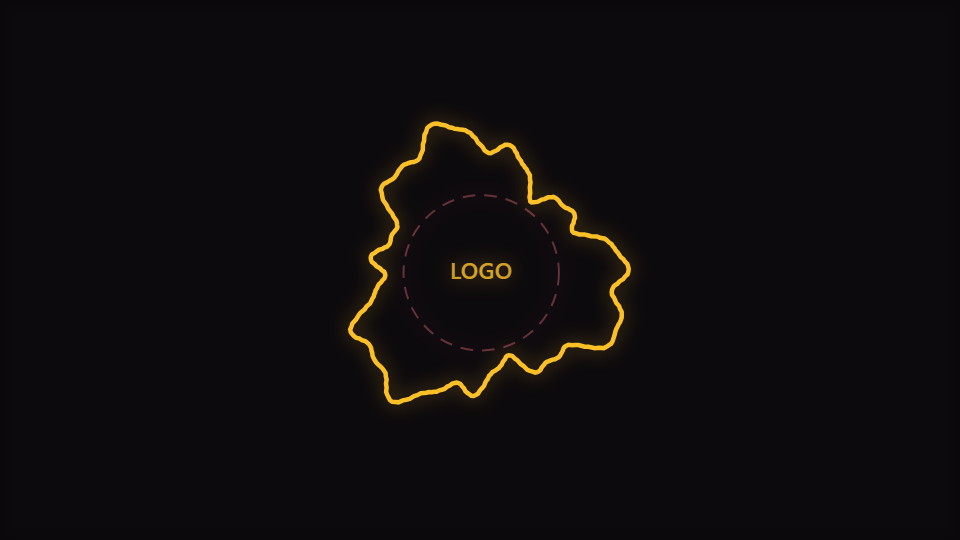
With no artwork loaded the mode draws a dashed circle and the word LOGO in the reserved space. That is not a stub nobody got round to removing. Without it the engine renders geometry around an empty hole, which gives no clue that the middle is reserved or how big the reserved area is, and it means the sizing controls cannot be dialled in before an upload. It is also what makes the mode capturable as a gallery thumbnail at all.
Bending a trace into a circle
The ring is built by walking up to 360 steps around the circle, reading the time-domain sample at each step's position in the buffer, and pushing the radius out by that sample times Waveform gain, plus small contributions from level and beat pulse. The path is closed at the end, so the ring is continuous rather than a spiral with a visible seam. Every radius passes through the engine's soft limiter against the frame's contain radius, so a loud passage bulges rather than clipping.
Waveform gain is scoped to this mode alone in the engine and ships at 1.6, above unity, because a raw waveform bent into a ring at unity gain is almost a perfect circle. So are the three audio-routing controls: this is the only mode in the engine where Primary audio source, Audio contribution and Audio dynamics appear at all, and the branch genuinely reads the routed level into the radius.
Rotation is a trim, not a spin
Rotation feeds the engine's shared spin value, but this mode applies only a fifth of it to the ring's angle. A waveform ring that visibly rotates draws attention to the fact that its shape is arbitrary; a slow drift keeps it alive without inviting that reading.
When to reach for it
Single covers, channel idents, podcast artwork, release announcements, and any loop where the brand is the subject and the music is the motion. It works in square and vertical formats equally well because it is radially symmetric. For the mode that assembles the mark across a bar instead of framing it, read The Kinetic Reveal Mode; for the same engine as a full equalizer ring, The Orbiting Bars Mode: Bar Width Is the Circumference, Divided.
Open Waveform Ring in the gallery or go to the editor. The tutorial Make a Logo Visualizer walks the whole workflow from upload to export.
Reviewed by the editorial team. Report a correction.
Keep reading
Was this page helpful?
Anonymous. Only this page’s address and your yes/no are recorded, and only if you allowed analytics cookies.
Ready to make your own?
Open the editor, drop in a track, and export a watermark-free video: free, no account.
Open the Editor